
Register Account
Author: goswitch
Updated: 2026-06-13T10:02:01.000Z Registration link: https://www.goswitch.online/sign-up
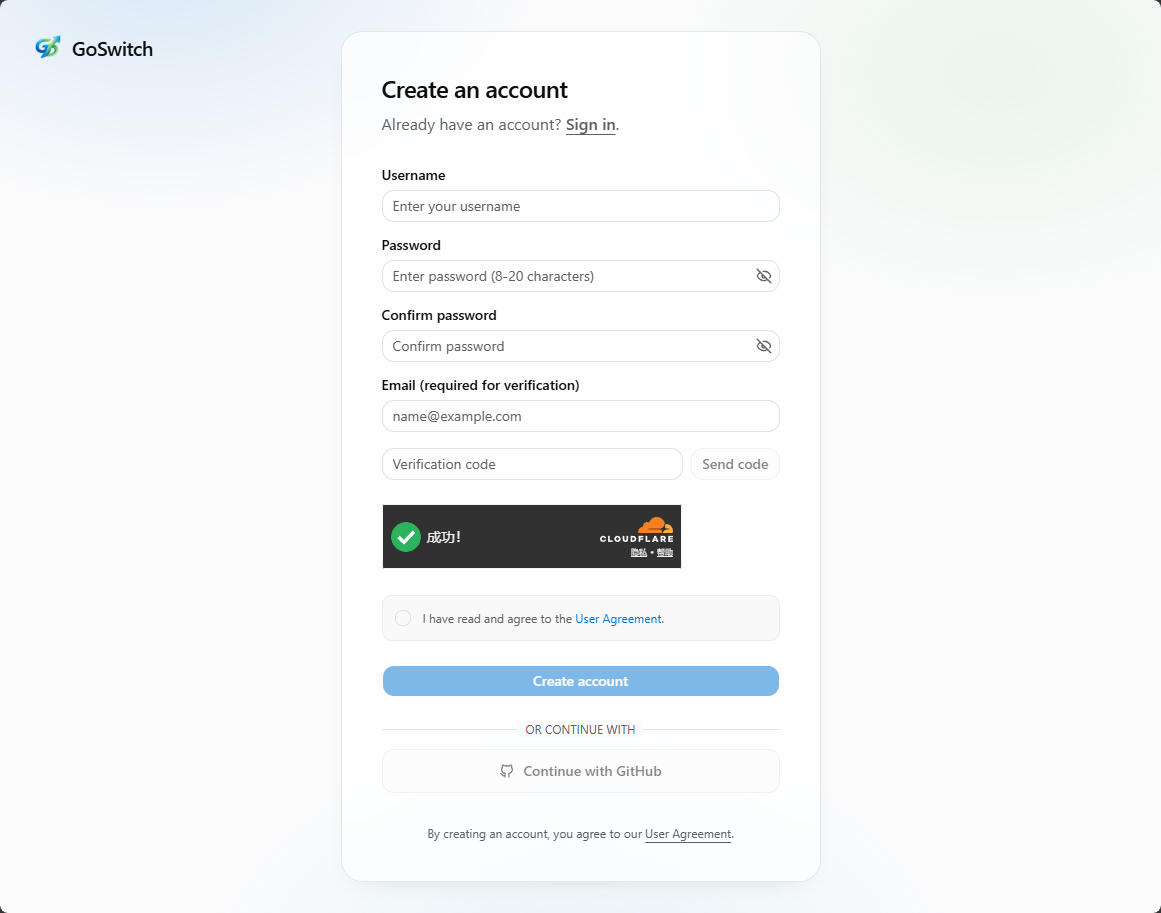
Enter Registration Page
Method 1 (Recommended): Register with GitHub Account
- Click "Continue with GitHub".
- Select the GitHub account you want to bind in the popup and complete authorization.
- After successful authorization, the system will automatically create your account and log you in.
Registering with GitHub doesn't require a separate password. For future logins, just select the same GitHub account.
Register with Email
- Click "Register with Username".
- Fill in your email, username, and password.
- Follow the page prompts to submit and complete registration.
Note
Your email will be used for verification and notifications. We recommend using a combination of letters, numbers, and special characters for your password. Keep your login credentials safe to prevent account theft.