Gemini Configuration
Author: goswitch
Updated: 2026-06-13T10:02:01.000Z
- Open the CC-Switch software you downloaded, and you will see the initial interface as shown below
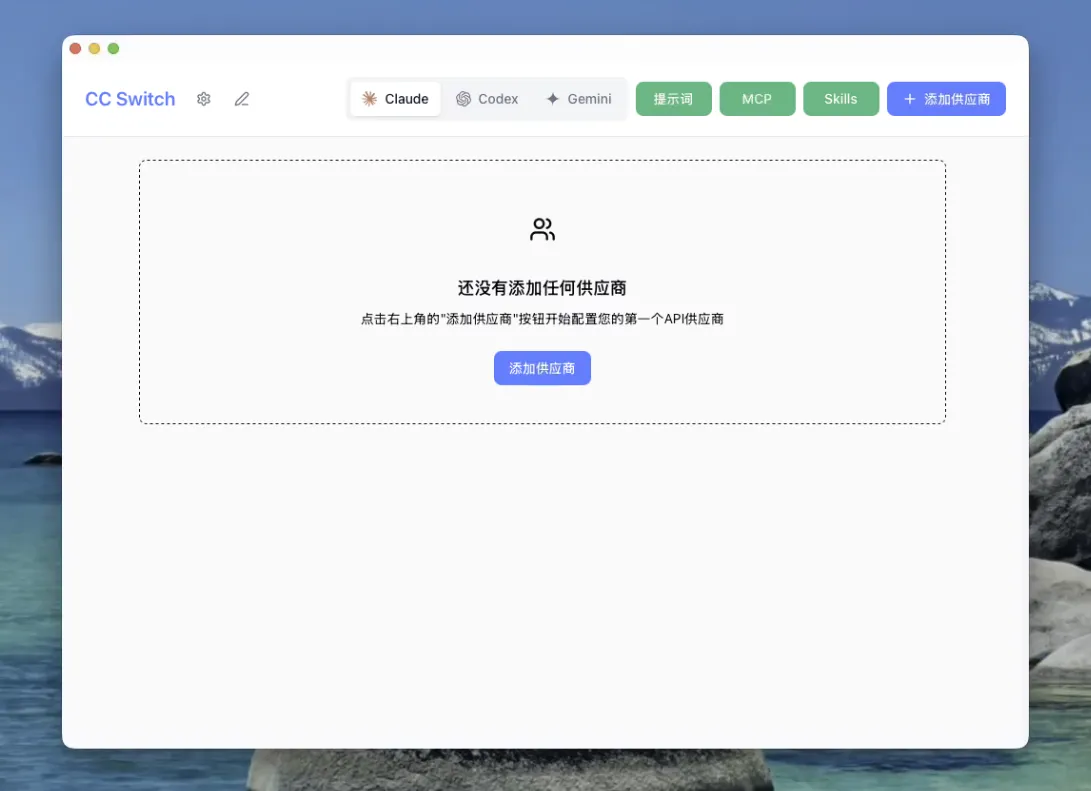
- In the group bar, select the "Gemini" group

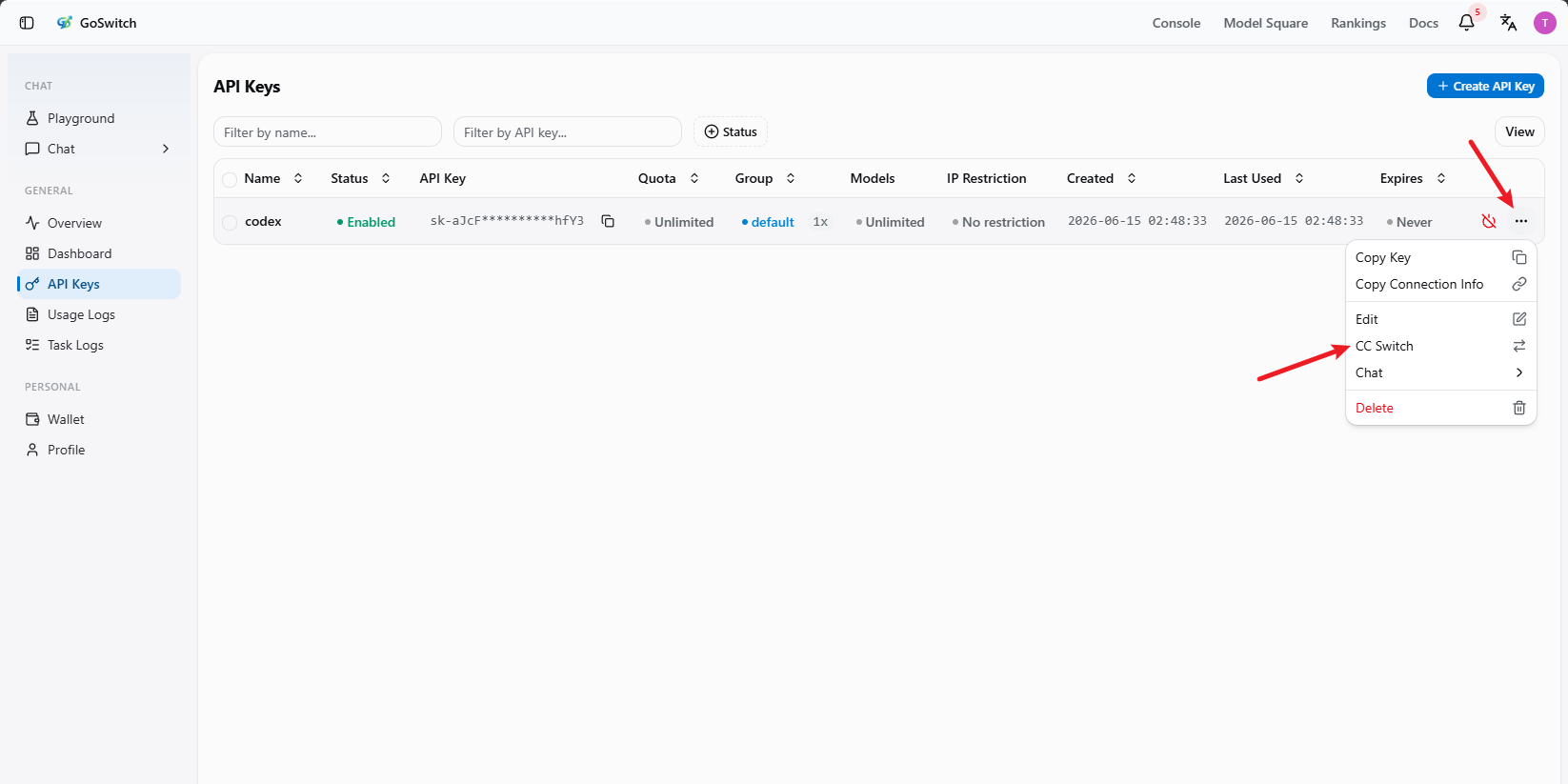
- Switch to the console's API key section, click "More", and select "CC Switch"
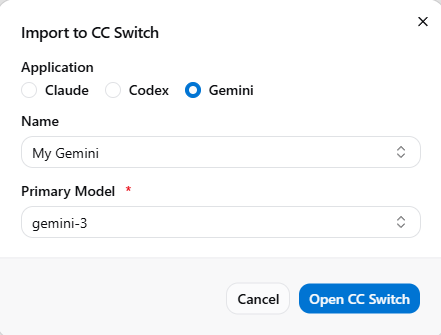
- Set your configuration name and the corresponding model, then click "Open CCSwitch"
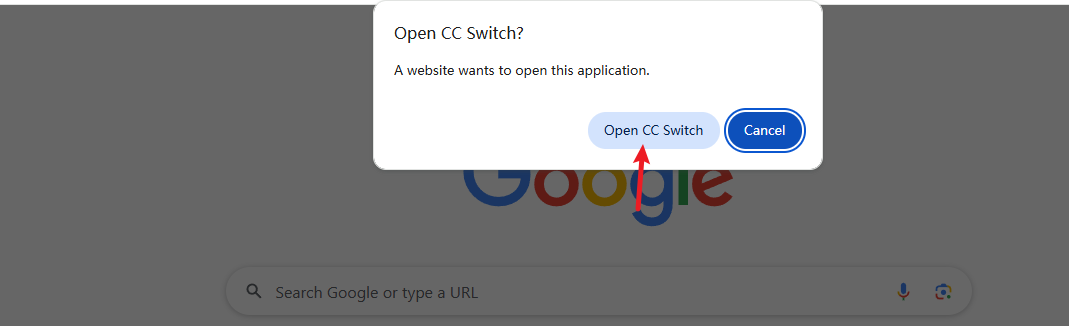
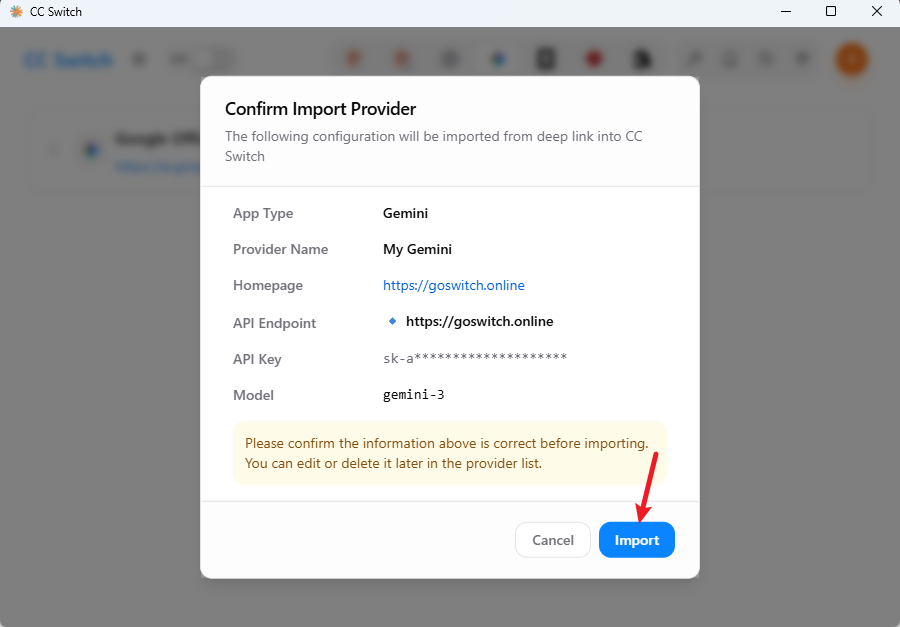
- CC-Switch will automatically pop up a confirmation window. After verifying the information, click "Import". The window will automatically close once the import is complete
- After successfully adding the configuration, you will see the configured group on the main interface. Click the "Enable" button on the right — when it shows "In Use", the configuration is complete

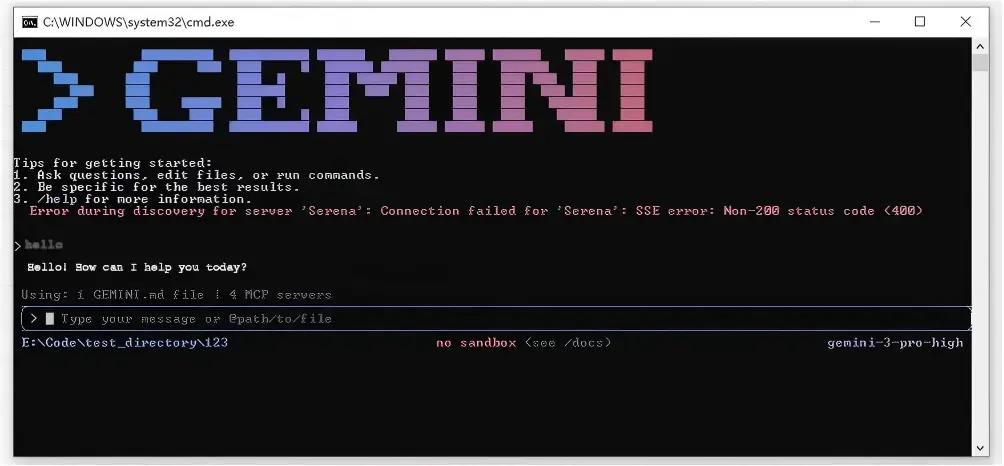
- Run
geminiin the terminal. If you see the conversation interface and can get normal responses, the configuration is complete