
Claude Code Related Questions
Author: goswitch
Updated: 2026-06-13T10:02:01.000Z
How to Use GoSwitch in VSCode CC Plugin
Windows
Ensure you have completed the Environment Check and your Claude Code CLI is working properly. If there are issues, follow the tutorial to configure it
Press "Win+R" on your keyboard, enter the following content and press Enter to open the Claude Code configuration directory
%userprofile%\.claude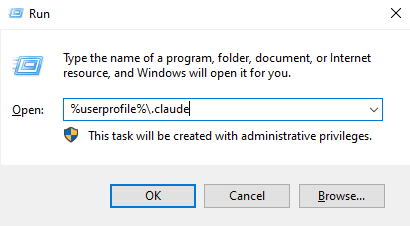
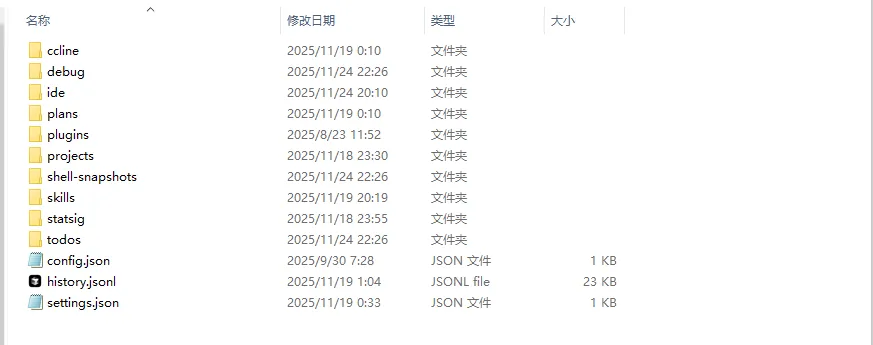
- The directory contents should look like the image below. If
config.jsondoes not exist in the directory, you need to manually create it and open it
- config.json: Configures some behavior of the VSCode Claude Code plugin
- Write the following content to
config.jsonand save
{
  "primaryApiKey": "GoSwitch"
}- Restart your VSCode and enjoy!
MacOS
Ensure you have completed the Environment Check and your Claude Code CLI is working properly. If there are issues, follow the tutorial to configure it
In Finder, press "Command+Shift+G", enter the following path and press Enter to open the configuration directory
~/.claude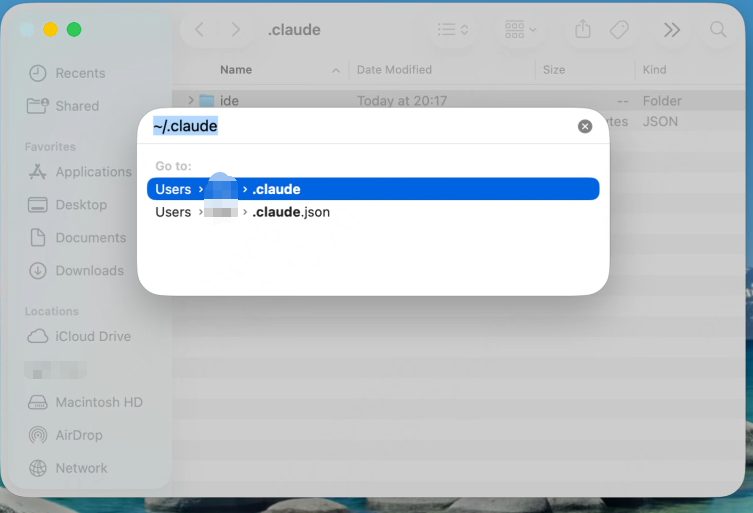
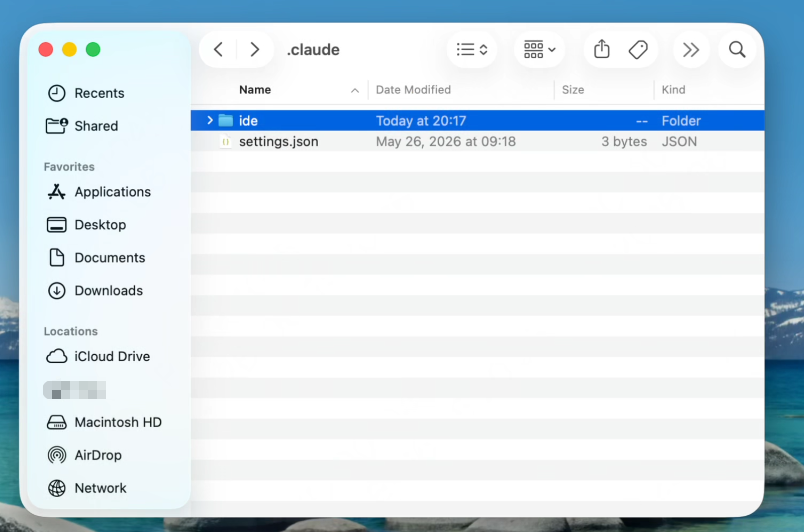
- The directory contents should look like the image below. If
config.jsondoes not exist in the directory, you need to manually create it and open it
- config.json: Configures some behavior of the VSCode Claude Code plugin
- Write the following content to
config.jsonand save
{
  "primaryApiKey": "GoSwitch"
}- Restart your VSCode and enjoy!
Common Claude Code Commands
| Command | Description |
|---|---|
| /claude | Start an interactive REPL in the current directory for conversational use of Claude Code. |
| /claude "Explain this project" | Start REPL with an initial question to let Claude analyze the project right away. |
| /claude -p "Explain this function" | Use print mode for one-time Q&A, output results and exit directly, suitable for scripts/CI. |
| /cat logs.txt | claude -p "Help me summarize errors" | Feed file or command output to Claude via pipe, combined with -p for summarization/analysis. |
| /claude -c | Continue the most recent session in the current directory, picking up where you left off. |
| /claude -c -p "Check type errors" | Execute a one-time request in the recent session context, commonly used for automated checks. |
| /claude -r "abc123" "Complete this PR" | Resume a specific session by session ID and continue executing a new task. |
| /claude update | Update Claude Code CLI to the latest version. |
| /claude mcp | Manage and configure MCP servers, allowing Claude to access external data sources and tools. |
| /claude --add-dir ../apps ../lib | Add additional code directories accessible to Claude, supporting reading code across multiple paths. |
| /claude --agents '{"reviewer":{...}}' | Temporarily define sub-agents via JSON, e.g. code-reviewer, debugger, etc. |
| /claude -p "Generate API docs" --output-format json | Output answers in JSON format for subsequent script parsing. |
| /claude --model sonnet | Specify the model for the session (e.g. sonnet / opus or specific model name). |
| /claude --verbose | Enable verbose logging, showing tool calls and internal steps for debugging. |
| /claude --resume abc123 "Continue fixing this bug" | Resume a session by session ID, continuing previous work from any directory. |
| /claude --continue | Load the most recent session in the current directory, equivalent to "continue last conversation". |
| /claude --append-system-prompt "Always use TypeScript" | Append custom rules after the default system prompt without affecting default behavior. |
| /claude --dangerously-skip-permissions | Skip permission confirmations, letting Claude automatically execute file read/write/run commands (high risk, only in fully trusted environments). |
Claude Code Cannot Connect to Anthropic Services
Note
If you're configuring for the first time and have been redirected here, simply follow the instructions below to run the command
After installing Claude via npm, running claude in the command line may show the following error:
Unable to connect to Anthropic services
Failed to connect to api.anthropic.com: ERR BAD REQUEST
lease check your internet connection and network settings.
Note: Claude Code might not be available in your country, Check supported countries atnttps://anthropic.com/supported-countriesS E:ltoollclaude code>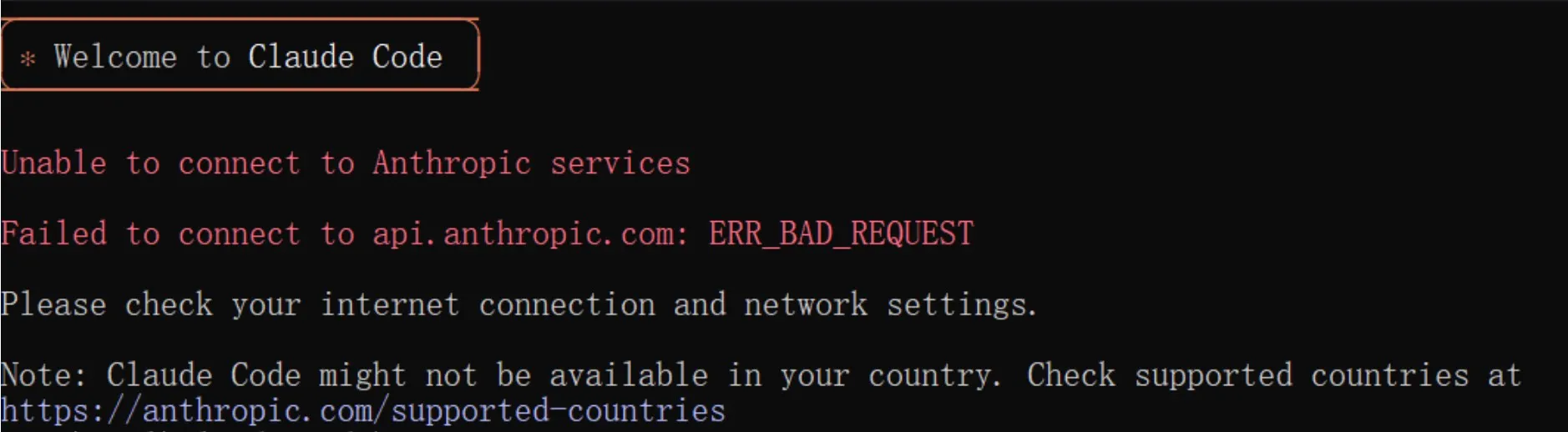
Or you may encounter the following issue during initial configuration:
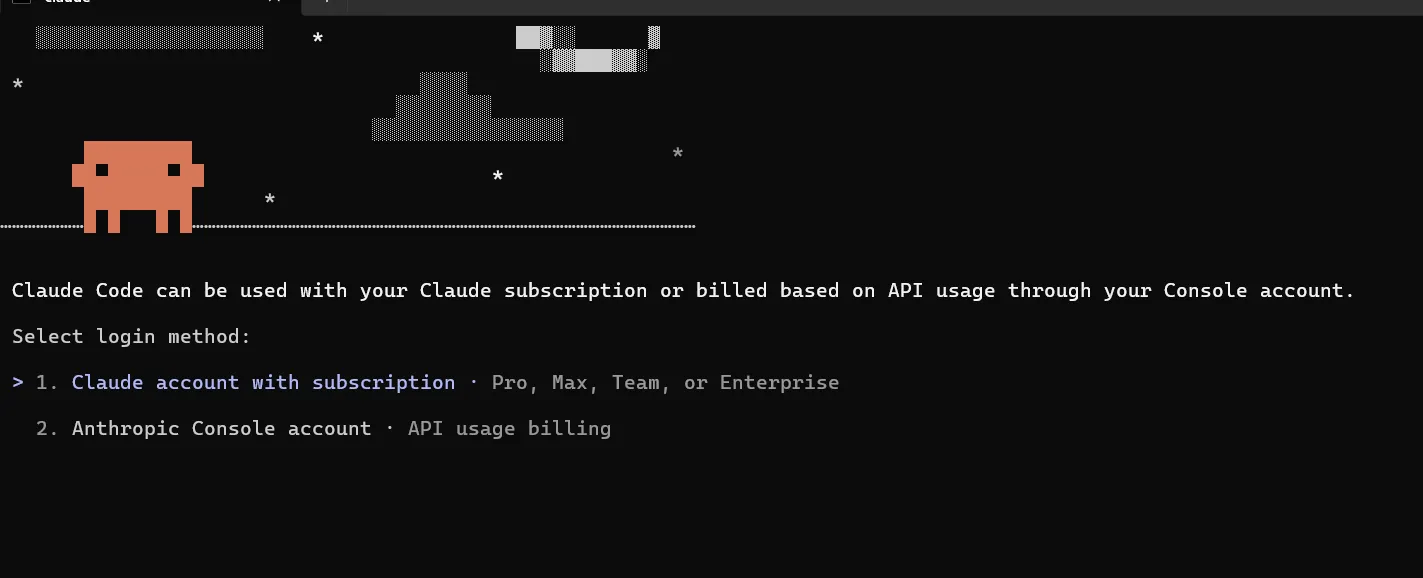
Windows
Press
Win + R, entercmdand press Enter to open the command lineRun the following command in the command line and press Enter
powershell -Command "$f='%USERPROFILE%\.claude.json';$j=Get-Content $f|ConvertFrom-Json;$j|Add-Member -NotePropertyName 'hasCompletedOnboarding' -NotePropertyValue $true -Force;$j|ConvertTo-Json|Set-Content $f"- Restart your Claude CLI
MacOS
Find the Terminal app in your Applications list and launch it
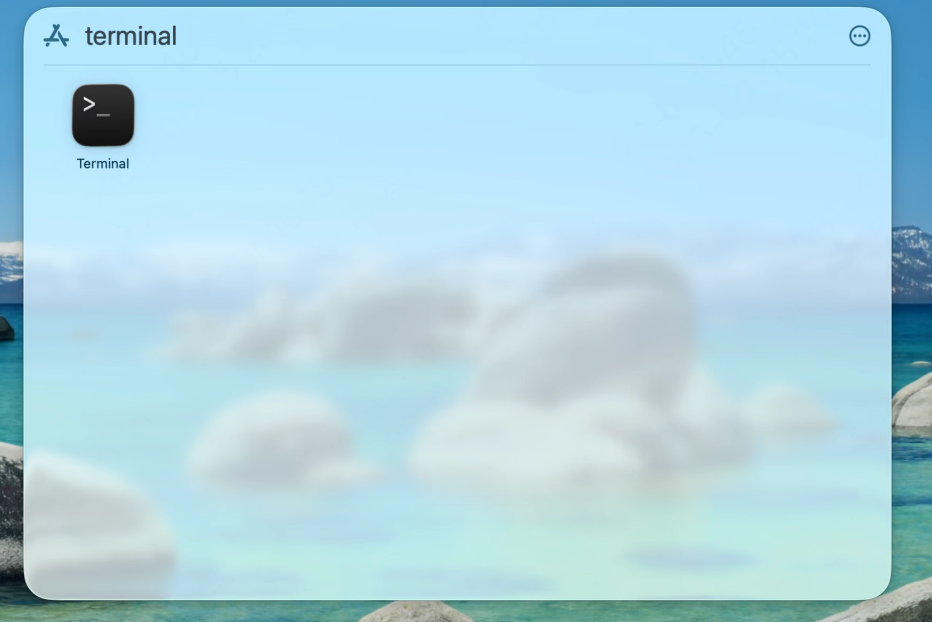
Run the following command in the terminal and press Enter
jq '. + {"hasCompletedOnboarding": true}' ~/.claude.json > /tmp/tmp.json && mv /tmp/tmp.json ~/.claude.jsonTip
Note: if jq is not found, you can install it with brew install jq
- Restart your Claude CLI
How to Switch Claude Code Back to 200K Context and Disable Non-essential Traffic
If you want to switch Claude Code from 1M context back to 200K context and disable some non-essential requests and terminal title changes, you can add the following configuration to the env section of settings.json.
Windows
- Press
Win + R, enter the following content and press Enter
%userprofile%\.claudeOpen or create
settings.jsonConfirm that
envcontains the following
{
  "env": {
    "CLAUDE_CODE_DISABLE_1M_CONTEXT": "1",
    "CLAUDE_CODE_DISABLE_NONESSENTIAL_TRAFFIC": "1",
    "CLAUDE_CODE_DISABLE_TERMINAL_TITLE": "1"
  }
}
MacOS
- In Finder, press
Command + Shift + G, enter the following path and press Enter
~/.claudeOpen or create
settings.jsonConfirm that
envcontains the following
{
  "env": {
    "CLAUDE_CODE_DISABLE_1M_CONTEXT": "1",
    "CLAUDE_CODE_DISABLE_NONESSENTIAL_TRAFFIC": "1",
    "CLAUDE_CODE_DISABLE_TERMINAL_TITLE": "1"
  }
}